Whether you’re managing client projects as a freelancer, coordinating tasks with a small team, or working remotely across different time zones, staying productive requires more than a simple to-do list. Modern work involves juggling communication, project management, file sharing, scheduling, invoicing, and collaboration—often across multiple devices and platforms.
The good news is that today’s productivity software can automate repetitive work, improve team communication, and keep projects organized without adding unnecessary complexity. However, with hundreds of options available, choosing the right tools can quickly become overwhelming.
This guide compares some of the best productivity software for freelancers, small businesses, and remote professionals in 2026. Instead of focusing only on popularity, we’ll evaluate each platform based on usability, collaboration features, automation, pricing, integrations, and overall value.
Table of Contents
- Why Productivity Software Matters
- Best Productivity Software
- Comparison Table
- How to Choose the Right Software
- Common Mistakes
- Frequently Asked Questions
- Key Takeaways
- Conclusion
Why Productivity Software Matters
Time is one of the most valuable resources for freelancers and remote teams. Every minute spent searching for files, updating spreadsheets, or switching between disconnected apps reduces the time available for meaningful work.
The right productivity software helps by:
- Organizing projects in one place
- Improving team communication
- Automating repetitive tasks
- Tracking deadlines and progress
- Reducing unnecessary meetings
- Simplifying client collaboration
Rather than replacing your workflow, these tools help streamline it.
1. ClickUp – Best All-in-One Productivity Platform
Best For: Freelancers, agencies, and growing teams
ClickUp combines task management, documents, whiteboards, goals, time tracking, dashboards, and automation into a single platform. Instead of switching between several apps, users can manage most daily work from one dashboard.
Key Features
- Task management
- Project templates
- Time tracking
- Docs and wikis
- Goal tracking
- Workflow automation
- Dashboards
- Team collaboration
Pros
- Feature-rich
- Highly customizable
- Generous free plan
Cons
- Takes time to learn
- Interface may feel overwhelming initially
2. Notion – Best Workspace for Knowledge Management
Best For: Freelancers and content creators
Notion combines note-taking, project management, documentation, databases, and team collaboration into one flexible workspace.
It’s particularly useful for organizing client information, content calendars, SOPs, and business documentation.
Pros
- Extremely flexible
- Beautiful interface
- Excellent templates
Cons
- Requires setup
- Can become complex
3. Asana – Best for Project Planning
Asana excels at managing structured workflows and recurring projects.
Managers can assign tasks, track milestones, automate workflows, and monitor deadlines without relying on endless email chains.
Best For
- Marketing teams
- Agencies
- Small businesses
4. Trello – Best for Simple Project Management
Trello remains one of the easiest project management tools available.
Its Kanban-style boards make task organization intuitive for individuals and small teams.
Pros
- Beginner friendly
- Fast setup
- Visual workflow
Cons
- Limited advanced reporting
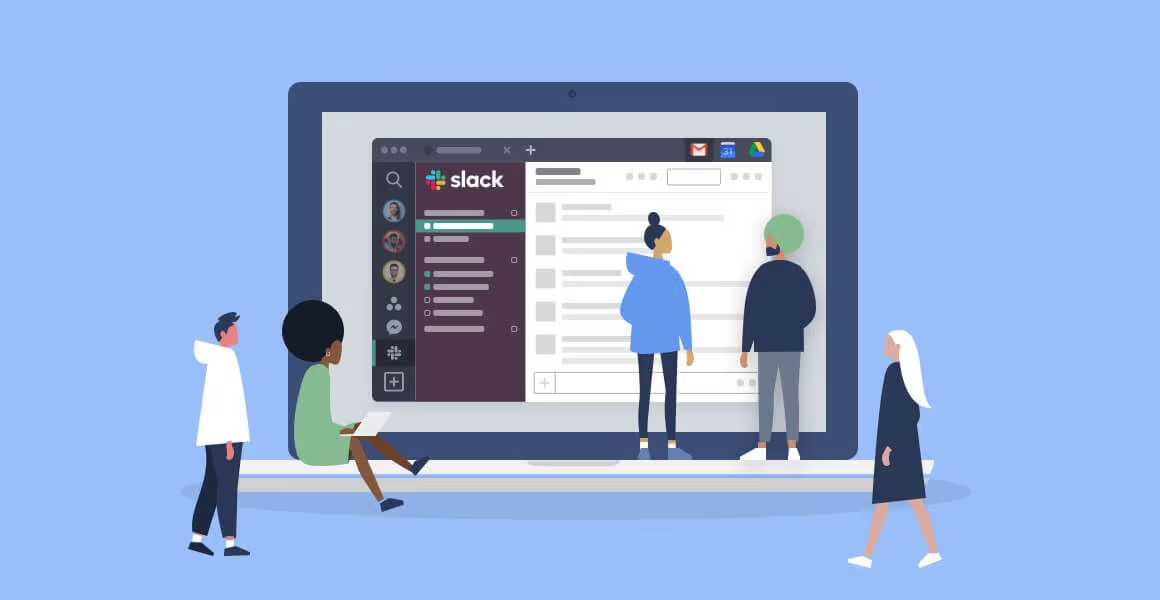
5. Slack – Best Team Communication Platform
Instead of relying on lengthy email conversations, Slack organizes discussions into searchable channels.
Features include:
- Team messaging
- File sharing
- Voice calls
- Video meetings
- App integrations
- Workflow automation
Slack works especially well alongside project management software.
6. Google Workspace – Best Collaboration Suite
Google Workspace provides essential business tools including:
- Gmail
- Google Docs
- Sheets
- Slides
- Calendar
- Drive
- Meet
Real-time collaboration makes it a practical choice for distributed teams.
7. Toggl Track – Best Time Tracking Software
Freelancers often underestimate how much time they spend on individual projects.
Toggl Track simplifies:
- Time tracking
- Client reporting
- Billable hours
- Productivity insights
The clean interface makes it easy to track work without becoming a distraction.
8. Loom – Best for Video Communication
Loom lets users record quick videos instead of scheduling meetings.
Typical uses include:
- Client updates
- Product demonstrations
- Feedback
- Employee onboarding
- Tutorials
For remote teams, this can significantly reduce unnecessary meetings.
9. Calendly – Best Scheduling Tool
Coordinating meetings through email wastes valuable time.
Calendly allows clients and colleagues to book available time slots automatically while integrating with major calendar platforms.
10. Zapier – Best Automation Platform
Zapier connects thousands of business applications without requiring programming knowledge.
Popular automations include:
- Saving email attachments
- Updating spreadsheets
- Creating project tasks
- Sending notifications
- CRM synchronization
Even simple automations can save several hours each month.
Comparison Table
| Software | Best For | Free Plan | Ideal Users |
|---|---|---|---|
| ClickUp | All-in-One Workspace | Yes | Teams & Freelancers |
| Notion | Documentation | Yes | Writers & Creators |
| Asana | Project Planning | Yes | Businesses |
| Trello | Task Boards | Yes | Beginners |
| Slack | Communication | Yes | Remote Teams |
| Google Workspace | Collaboration | No | Businesses |
| Toggl Track | Time Tracking | Yes | Freelancers |
| Loom | Screen Recording | Yes | Remote Professionals |
| Calendly | Scheduling | Yes | Consultants |
| Zapier | Automation | Limited | Businesses |
How to Choose the Right Productivity Software
Before purchasing new software, identify the biggest challenges in your workflow.
For Freelancers
Prioritize:
- Time tracking
- Client management
- Scheduling
- Note-taking
- File organization
Recommended combination:
- Notion
- Toggl Track
- Calendly
- Google Workspace
For Small Teams
Focus on:
- Project management
- Team communication
- Shared documentation
- Workflow automation
Recommended combination:
- ClickUp
- Slack
- Google Workspace
- Zapier
For Remote Professionals
Choose software that supports:
- Video communication
- Cloud collaboration
- Calendar management
- Task organization
Recommended combination:
- Loom
- Google Workspace
- Trello
- Calendly
The goal isn’t to use the most software—it’s to create a workflow where your tools work together instead of creating extra administrative tasks.
Common Mistakes
Avoid these common productivity mistakes:
- Using too many overlapping apps.
- Choosing software based only on popularity.
- Ignoring integrations.
- Skipping onboarding tutorials.
- Failing to organize projects consistently.
- Not reviewing workflows regularly.
- Paying for advanced features that aren’t needed.
Frequently Asked Questions
What is the best all-in-one productivity software?
ClickUp is one of the strongest all-in-one solutions because it combines project management, documentation, dashboards, automation, and collaboration.
Which productivity software is best for freelancers?
Many freelancers benefit from combining Notion for organization, Toggl Track for time tracking, and Calendly for scheduling.
Is free productivity software enough?
For individuals and very small teams, free plans often provide sufficient features. Growing businesses may eventually need premium plans for advanced collaboration and automation.
Which software is easiest for beginners?
Trello offers one of the simplest learning curves, making it an excellent starting point for new users.
How many productivity apps should I use?
Most professionals can manage effectively with three to five well-integrated tools rather than dozens of disconnected applications.
Can productivity software improve team collaboration?
Yes. Centralized communication, task tracking, shared files, and workflow automation reduce confusion and help teams stay aligned.
Key Takeaways
- Productivity software should simplify work rather than add complexity.
- Freelancers often benefit from lightweight, flexible tools.
- Small teams should prioritize collaboration and project management.
- Automation reduces repetitive tasks and saves valuable time.
- Choose software that integrates well with your existing workflow.
Conclusion
The best productivity software depends on how you work, not simply which platform has the longest feature list. Freelancers may value flexibility and ease of use, while small teams often need stronger collaboration and project management capabilities. Remote professionals, meanwhile, benefit most from tools that improve communication and reduce the need for constant meetings.
If you’re looking for an all-in-one workspace, ClickUp is an excellent choice. Notion remains a favorite for organizing information and creating documentation, while Slack and Google Workspace continue to be reliable options for communication and collaboration. Adding tools like Toggl Track, Calendly, or Zapier can further streamline your workflow by automating repetitive tasks and making better use of your time.
Start by addressing your biggest productivity challenge, then expand your toolkit only when you have a clear need. A thoughtful combination of well-integrated software is often more effective than relying on a large collection of disconnected apps.